
Fuel iX Powered Apps
Overview
Service Accounts are machine identities in the Fuel iX Developer Portal. They represent an application or automated process that needs programmatic access to Fuel iX APIs. Each Service Account generates an API key that can be scoped to specific API products and shared with team members.
Internally, Service Accounts are referred to as "virtual accounts" in the platform codebase.
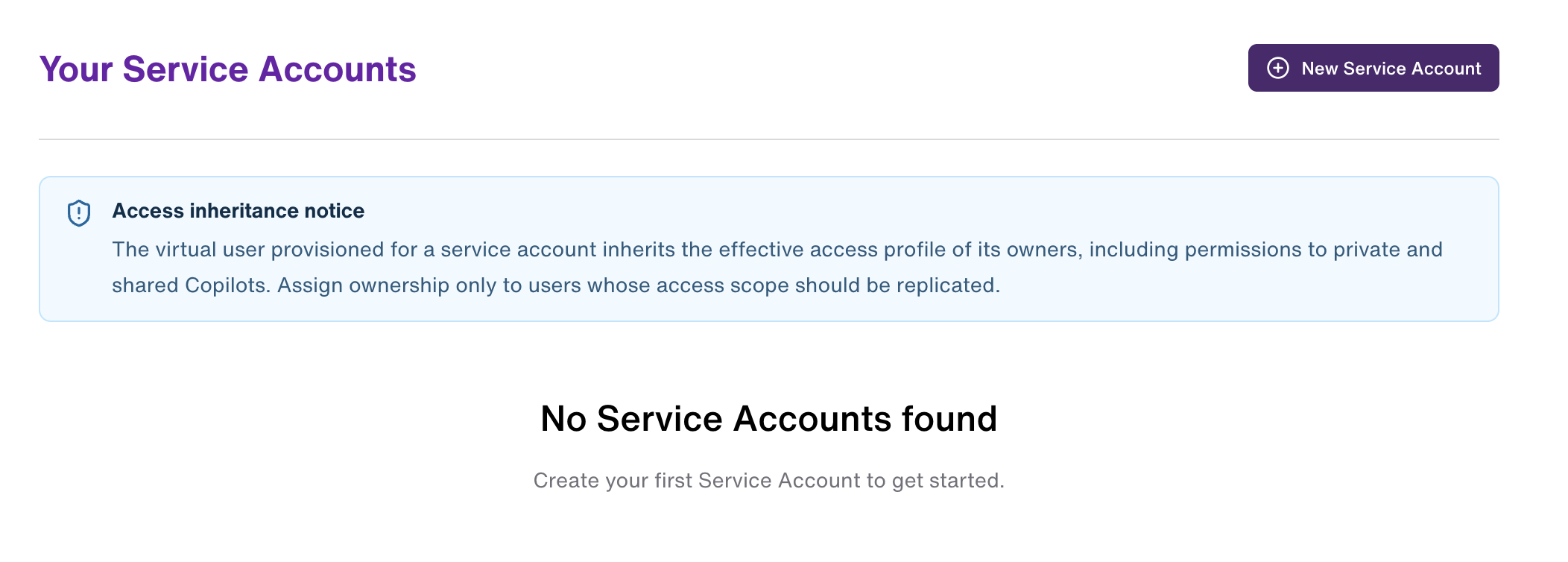
Creating a Service Account
Service Account creation is a multi-step guided process.
Step 1: Details
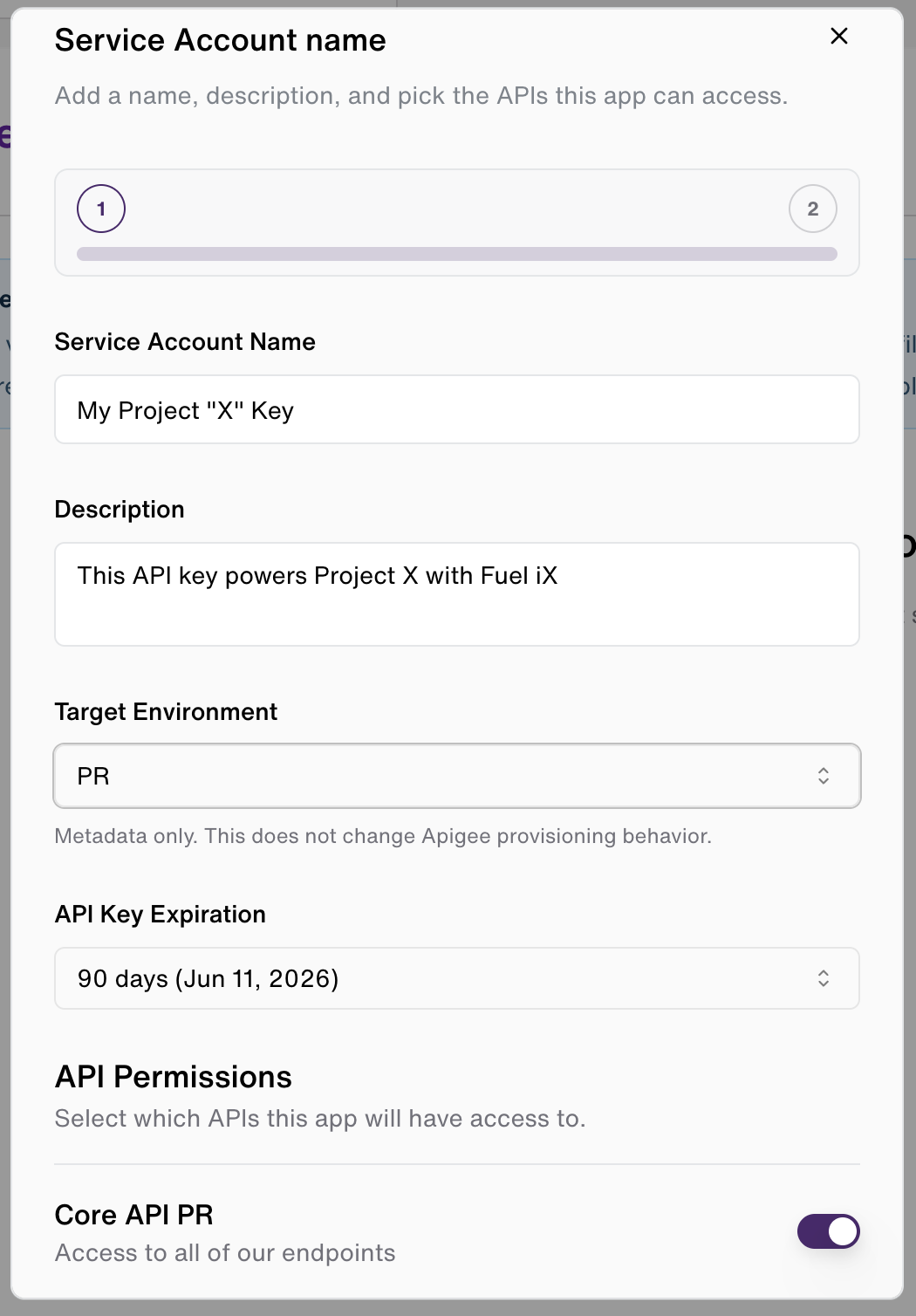
| Field | Required | Notes |
|---|---|---|
| Service Account Name | Yes | 1–80 characters. Allowed: letters, numbers, spaces, _, ., ', (, ), -. Must start with a letter or number. |
| Description | No | Up to 500 characters. Describe the purpose or owning system. |
| Environment | Yes | NP (Non-Production) or PR (Production). This is metadata only — it does not alter routing behavior. |
| API Permissions | Yes | Toggle the API products this account should have access to. |
| Vectors | Conditional | Only shown when the vectors feature flag is enabled. Grants access to a Turbopuffer namespace-scoped vector database. |
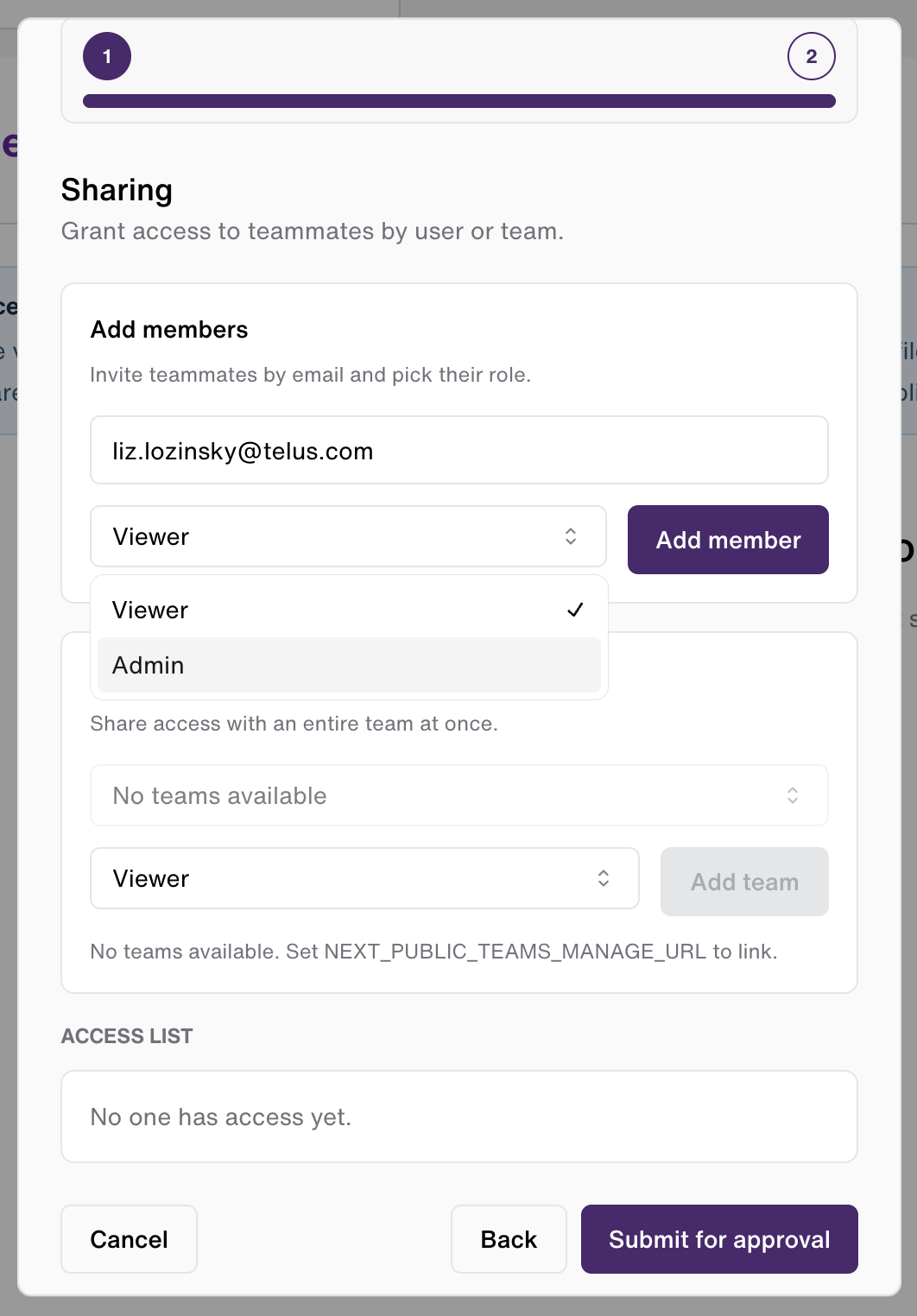
Step 2: Sharing (Optional)
You can invite other users or teams to access this Service Account before submission. See the Sharing section for details. This step can be skipped and configured later from the account detail page.
Submission and Approval
After submission, the Service Account enters an approval workflow. All new accounts require administrator review before the API key is activated.
Approval Workflow
States
| State | Visible Label | Description |
|---|---|---|
pending | Pending (gray) | Submitted, awaiting administrator review |
approved | Active (green) | Approved and API key is active |
rejected | Rejected (red) | Administrator rejected the request |
revoked | Revoked (red) | Previously approved account has been revoked |
disputed | Disputed (amber) | Only shown in the admin view. A rejected request that the owner has disputed. Returned to the review queue. |
Dispute Flow
If your Service Account request is rejected, you can dispute the decision:
- From the Service Accounts list, open the rejected account
- Use the dispute option to resubmit with a justification
- The account state returns to
pendingand is added back to the administrator review queue
Permissions Model
Every Service Account has one owner and can have additional members with either admin or viewer roles.
Role Capabilities
| Capability | Owner | Admin Member | Viewer Member |
|---|---|---|---|
| View account details | Yes | Yes | Yes |
| Copy API key | Yes | Yes | Yes |
| View unmasked API key | Yes | Yes | No |
| Edit API key status | Yes | Yes | No |
| Rotate API key | Yes | Yes | No |
| Manage sharing / members | Yes | Yes | No |
| Delete Service Account | Yes | No | No |
Team-Based Access
Members can be added as individual users (by email) or as entire teams. When a team is added, all members of that team inherit the assigned role. Team membership is resolved at access check time, so team roster changes take effect immediately without re-configuring the Service Account.
API Key Management
Viewing the Key
The API key is masked by default on the detail page. Admin members and the owner can reveal the full key using the eye toggle.
Any user with any access level can copy the key using the copy button without revealing it on screen.
Rotating the Key
Key rotation is available to the owner and admin members. The rotation process is atomic:
- A new key is provisioned
- Existing API product associations are migrated to the new key
- The old key is revoked and deleted
- The new key is confirmed active
During rotation, there is a brief window where both keys coexist. The old key is not invalidated until the new one is fully provisioned and verified.
Editing Key Status
Owners and admin members can change the status of the API key (e.g., manually revoke it). This is distinct from account deletion.
Sharing
Adding Members
From the Service Account detail page, open the Sharing tab to manage access.
- By email — Enter the email address of a Fuel iX user. They must already have a Developer Portal account.
- By team — Search for and select a team. All team members will inherit the assigned role.
- You cannot add yourself as a member — you are already the owner.
Assigning Roles
When adding a member, choose either:
- Viewer (default) — read-only access
- Admin — can manage the account and API key
Role can be changed after adding by editing from the Manage panel.
Removing Members
Members can be removed individually from the Manage panel. Removal takes effect immediately.
Shared Accounts in the List
Service Accounts where you are a member (not the owner) are marked with a "Shared with you" indicator in the accounts table.
Service Accounts Table
The main Service Accounts page shows all accounts you own or have been granted access to, as well as any pending approval requests you have submitted.
Filtering and Pagination
- Free-text filter on the table narrows results by name
- Pagination supports 5, 10, or 20 items per page
Row Actions
Available actions differ by your role and account state:
| Account Type | Owner Actions | Admin Member Actions | Viewer Member Actions |
|---|---|---|---|
| Active account | View, Copy key, Rotate, Edit status, Delete | View, Copy key, Rotate, Edit status | View, Copy key |
| Pending approval request | View, Dispute (if rejected) | — | — |
Environments
Service Accounts are created in either NP (Non-Production) or PR (Production) environments. This is a metadata label — it communicates the intended usage context but does not affect routing or access control. Apply the appropriate environment label to help administrators and teammates understand where the account is intended to be used.
Vectors Access
When the vectors feature is enabled for your organization, a Vectors toggle is shown in the details step of Service Account creation. Enabling this grants the account access to a Turbopuffer namespace-scoped vector database. If you are unsure whether your use case requires vectors access, consult your administrator or team lead.
Updated 8 months ago