
Getting Started
Welcome to Fuel iX APIs – your gateway to powerful Fuel iX APIs and Dev Portal. This Getting Started guide will help you set up, explore key features, and start building with speed and confidence. Let’s turn your ideas into intelligent applications.
Account Creation and Access
If your organization already uses the Fuel iX Copilots app and has API access enabled, you're just a click away from the Developer Portal. Simply use the app switcher in the Fuel iX interface and select "API".
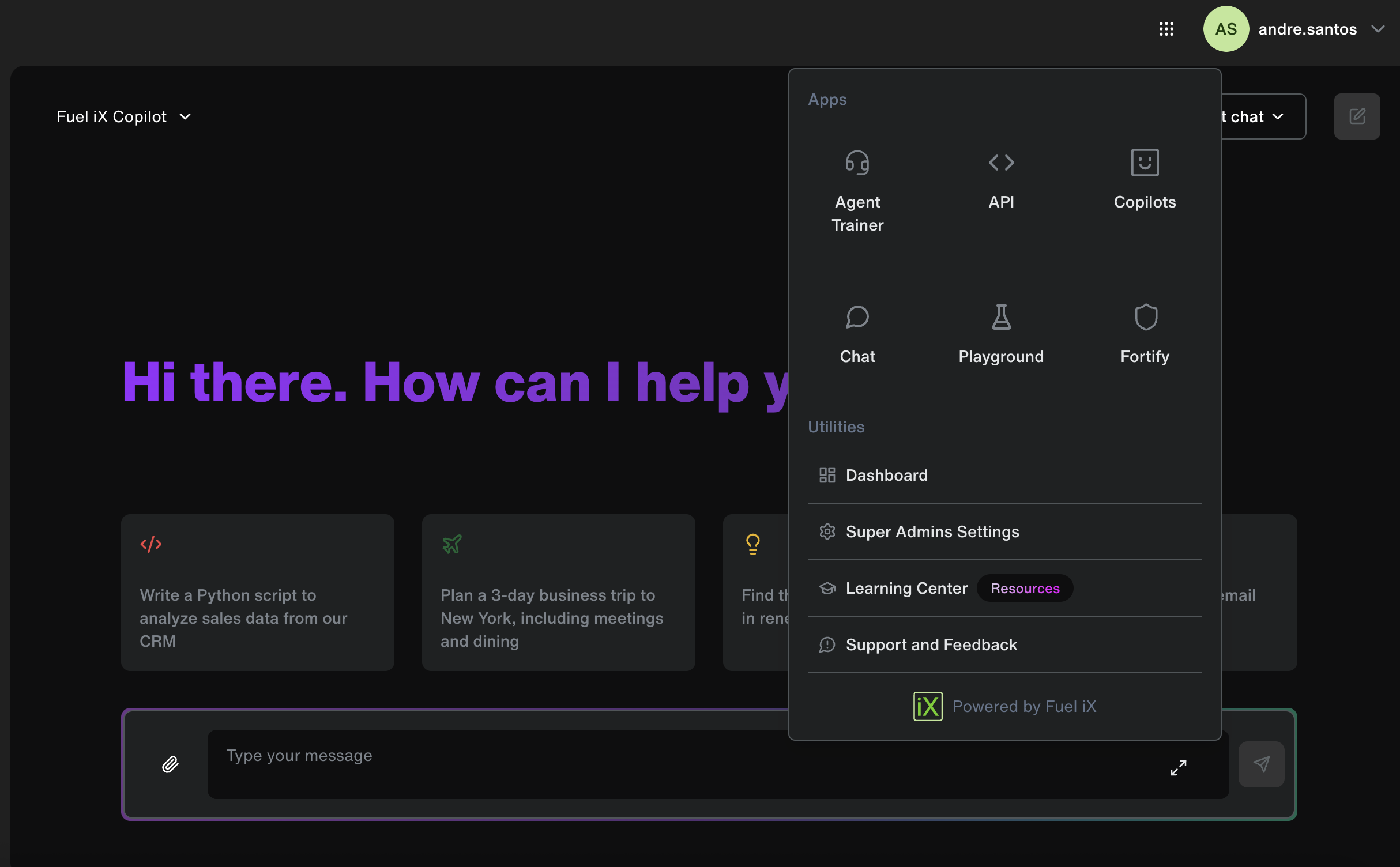
- On your first time accessing the APIs, a developer account will be automatically created for you.
- You’ll be redirected seamlessly to the Fuel iX Dev Portal, where you can start exploring the available APIs and tools.
Don’t see the API option in the app switcher?That means API access hasn’t been enabled for your organization yet. Please contact your organization’s admin to request access.
Once you're in, you’re ready to build, test, and scale with Fuel iX’s powerful AI capabilities.
Already Have a Developer Account?
If you've previously accessed the legacy Developer Portal at developer.fuelix.ai, your existing account has been seamlessly migrated to the new Fuel iX Developer Portal.
Here’s what to expect:
- Your account, projects, and API keys are all preserved.
- Copilots profile keys (those starting with
sk-) have been automatically migrated to your “Default” project in the new portal. - You can continue using your keys without interruption—everything will work just as before, now with an improved experience.
No extra setup is needed. Just log in, and you’ll find all your existing resources ready to use.
Updated 12 months ago