
User Guide: Home Screen
Agent Assist is a BETA product
When a user logs in to Agent Assist, they will land on the main chat screen. This is your command center for getting instant, AI-powered answers from your company's knowledge base. Think of it as your dedicated assistant, ready to help you resolve customer inquiries quickly and accurately.
To log in to Agent Assist, follow these steps:
- Navigate to https://agent-assist.fuelix.ai/
- Enter your email, and you'll then receive an email with a magic link to log in.
- Click the link from your email and start using Agent Assist.
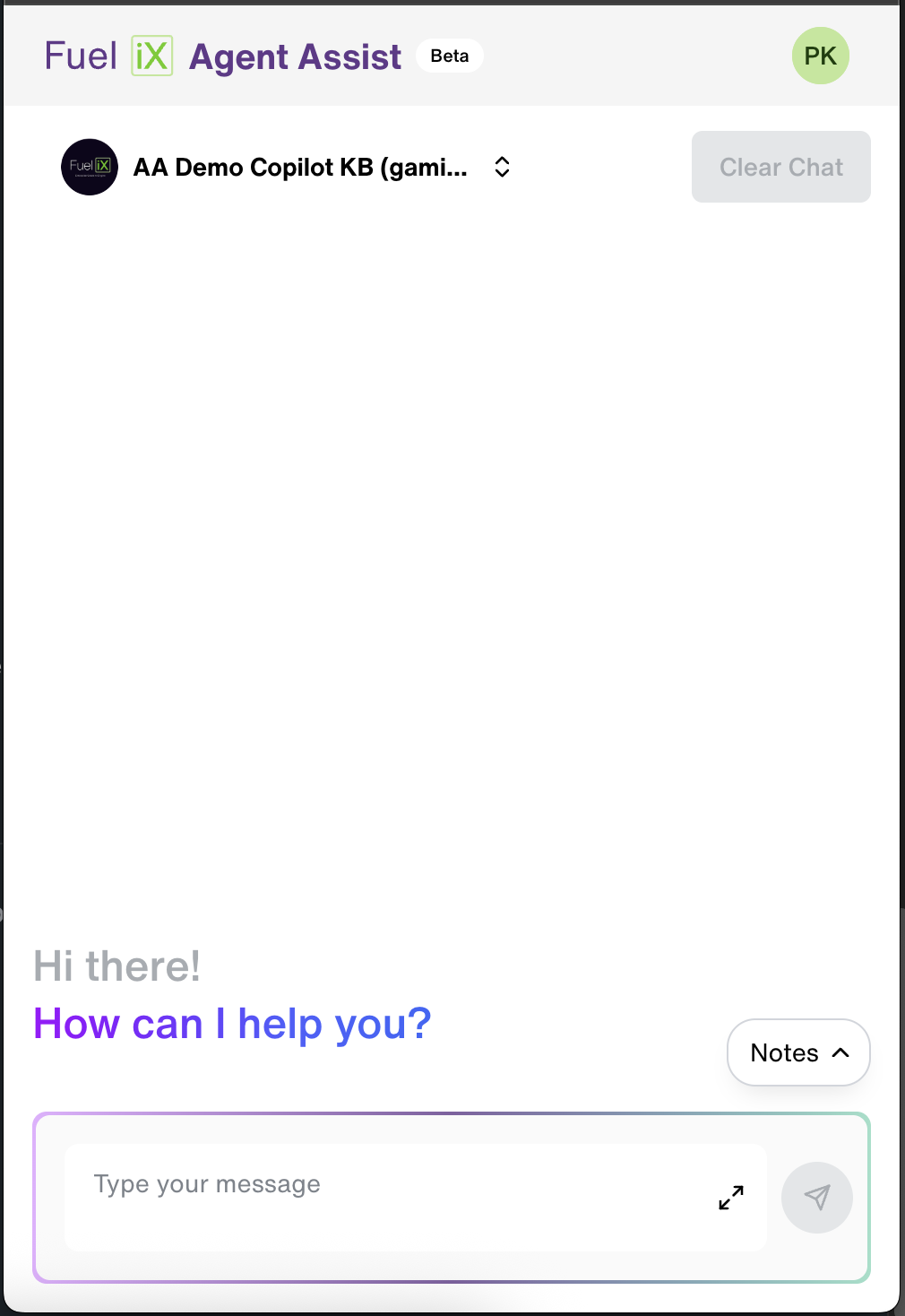
Let's break down the key features on this page:
- Copilot Selector: Located at the top, this dropdown menu lets you choose which "Copilot," you want to interact with. You may have different Copilots for different topics (e.g., "Billing," "Technical Support," "General FAQs"). Always make sure you've selected the correct one before asking a question.
- Clear Chat Button: Click this button to erase the current conversation history from the screen. It's best practice to use this when you finish an interaction with one customer and are about to start with another.
- Notes Button: Click the "Notes" button to toggle a digital notepad. This allows you to take notes without having to switch to another application.
Updated 6 months ago
Did this page help you?