
Slash commands
Run built-in commands straight from the chat composer. Type / to see what is available in your copilot.
Slash commands are shortcuts you run from the message box in a copilot chat. Instead of writing a prompt and hoping the copilot picks the right tool, you type /, choose a command, and send — the copilot runs it and formats the answer for you.
Where slash commands workSlash commands are available in your organization's Default Copilot and in official copilots published by your organization. They do not appear in personal or custom copilots. If you type
/and no menu opens, you are in a copilot that does not offer commands — switch to your Default Copilot.
How to run a command
There are three ways to trigger a command:
- From the autocomplete menu — type
/in the composer. A menu lists the commands available to you. Pick one and press Enter. - By typing it directly — type the command yourself (for example
/cost) and send the message. - In plain language — you can also just ask. "What did I spend this month?" reaches the same place as
/cost.

Typing a slash in the composer opens the command menu
Available commands
| Command | What it does |
|---|---|
/cost | Shows your own Fuel iX usage and spend for a month — requests, tokens, and billed cost, split into Internal, External, and Combined. |
More commands will be added over time; this page is the running list.
/cost — your usage and spend
/cost — your usage and spendCurrently only available in TELUS organizations
/cost answers the question "how much am I using, and what does it cost?" without leaving the chat. It reports your own account's usage — every chat, copilot, and integration tied to your user — for a whole calendar month.
By default it returns the current month, scoped to Copilots only.
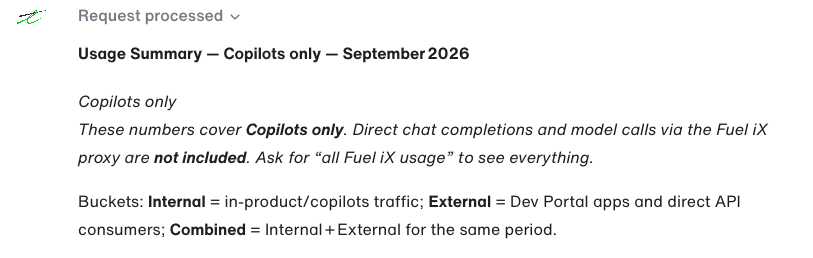
The copilot replies to /cost with a usage summary
What you get back
The reply is always laid out in the same order, so you can scan it the same way every time.
1. Header and scope
A single line naming the scope and the period — for example Usage Summary — Copilots only — August 2026 — followed by a note telling you exactly what is and is not counted in that scope.
2. Three usage buckets
Your usage is split into three tables. Each table carries the same seven metrics.
| Bucket | What it covers |
|---|---|
| Internal | In-product usage — copilots, in-product chat, and app-driven model calls that do not go through an external Dev Portal app. |
| External | Traffic through Dev Portal apps and direct API consumers using their own API keys. |
| Combined | Internal + External, summed field by field for the same period. |
Buckets are always shown, even when one of them is zero — a zeroed External table simply means you have no Dev Portal or direct-API traffic.
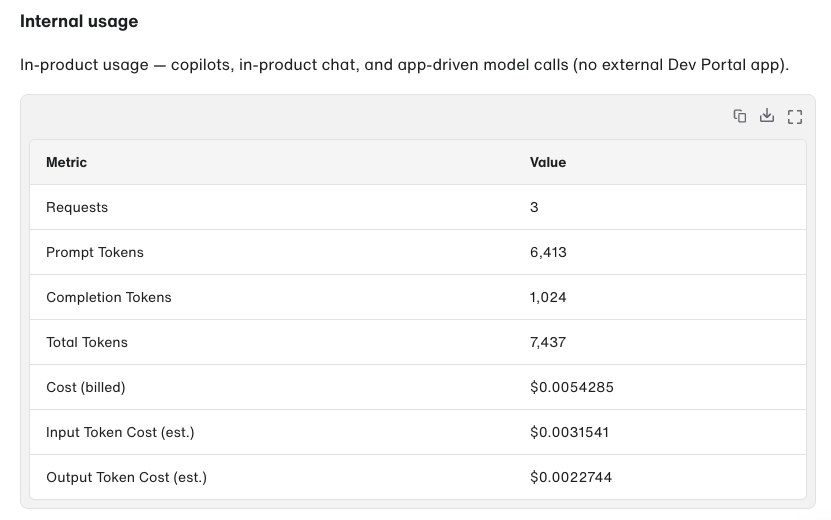
Internal usage table
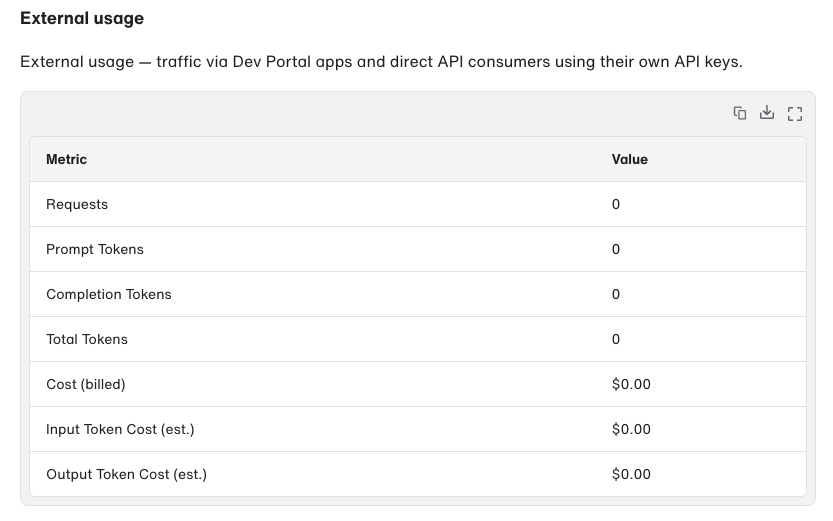
External usage table
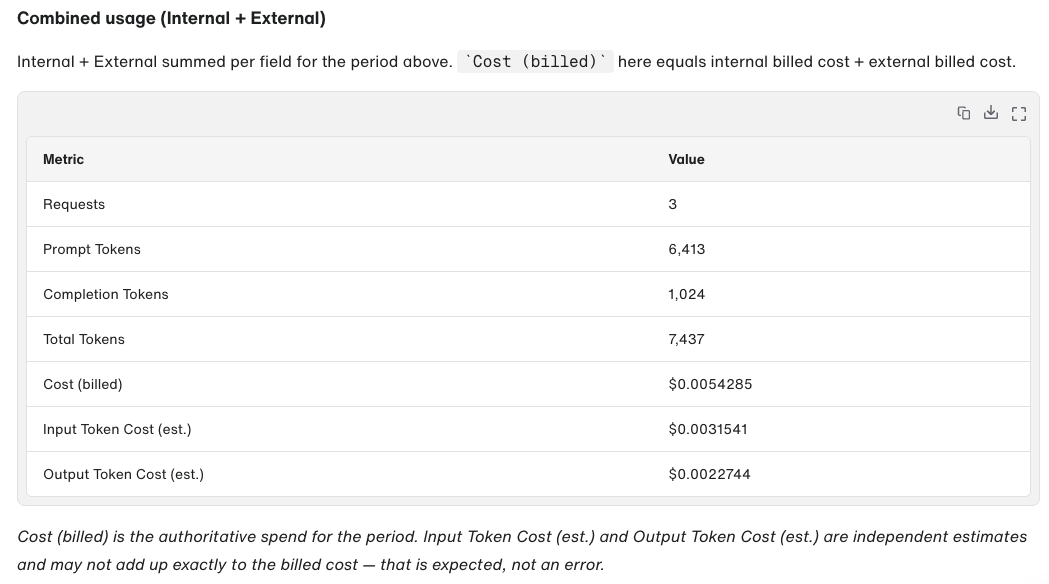
Combined usage totals
3. Metrics reference
| Metric | Meaning |
|---|---|
| Requests | Billable prompt/embedding events counted in the period. |
| Prompt Tokens | Input tokens sent to the model. |
| Completion Tokens | Output tokens generated by the model. |
| Total Tokens | Prompt tokens + completion tokens. |
| Cost (billed) | Your authoritative billed spend for the period. |
| Input Token Cost (est.) | Estimated share of cost attributable to input/prompt tokens. |
| Output Token Cost (est.) | Estimated share of cost attributable to output/completion tokens. |
Billed cost is the source of truth
Cost (billed)is the real number.Input Token Cost (est.)andOutput Token Cost (est.)are calculated independently from token counts and price-per-token, so they may not add up exactly to the billed cost. That gap is expected, not an error — use it to understand the input/output split, not to recompute your bill.
4. Last 7 days trend
When you ask for the current month, the reply also includes a day-by-day table of billed cost for the last seven days, split Internal vs External. It is useful for spotting a spike.
This section is only produced for the current month. Ask for a past month and it is omitted — by design.
Choosing a scope
/cost has two scopes:
| Scope | What it counts | How to ask |
|---|---|---|
| Copilots only (default) | Usage from the Copilots product. Direct chat completions and model calls through the Fuel iX proxy are excluded. | /cost |
| All Fuel iX usage | Everything — Copilots plus direct chat completions plus model calls via the Fuel iX proxy. | "show me all Fuel iX usage this month" |
Every reply states its scope in the header and repeats the caveat underneath, so you never have to guess which one you are looking at.
Asking for other periods
You do not need special syntax. Send /cost first, then ask in plain language — or write it in one message:
/cost March 2026- "how much did I spend last month?"
- "show me February usage"
- "what was my total for 2025?"
- "give me the full-year cost"
The copilot resolves the period you named and reports it. Broader ranges — a quarter, a full year — are assembled from monthly lookups, so they can take a little longer than a single month.
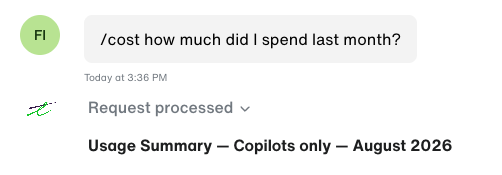
Asking for a custom date range in plain text
Shortcut from your settings page
You do not have to remember the command. On your user settings page there is a card — "Curious about your usage costs?" — with a View usage button. It opens a new chat with your Default Copilot and runs /cost for you.

Usage discovery card in user settings
Things to know
- The numbers are yours, not the conversation's.
/costreports your account's usage across all chats and integrations — not the cost of the chat you are currently in. - Data is not real-time. Usage can be delayed by more than an hour. A request you just made may not appear yet.
- Periods are whole calendar months. A month is measured from the 1st at 00:00 UTC to the last day at 23:59 UTC.
- It is per-user.
/costnever shows another person's usage. Managers and admins who need team or organization rollups should use the analytics dashboards instead.
Troubleshooting
| What you see | What it means |
|---|---|
Typing / opens no menu | You are in a copilot that does not support slash commands. Switch to your organization's Default Copilot or an official copilot. |
The menu opens but cost is not listed | /cost is not enabled for your organization yet. Contact your Fuel iX administrator. |
"The /cost command is not enabled for your account." | The command is switched off for your account or organization. Contact your Fuel iX administrator. |
| "Authorization token not available. Unable to fetch usage data." | A temporary authentication problem. Retry; if it persists, raise a support request. |
| All metrics are zero | You had no billable usage in that period and scope. Try the all Fuel iX usage scope, or a different month. |
| Estimated input + output cost ≠ billed cost | Expected. See Billed cost is the source of truth above. |
Related pages
- Copilots › Chats — the chat surface these commands run in
- Accessing Copilots — how to find your Default Copilot
- Personal Project API Keys — the External bucket comes from keys like these
Updated about 2 months ago