
Audio Playback
We introduced audio playback on the Evaluation page, allowing coaches and managers to listen to recorded voice training sessions directly alongside the transcript.
Overview
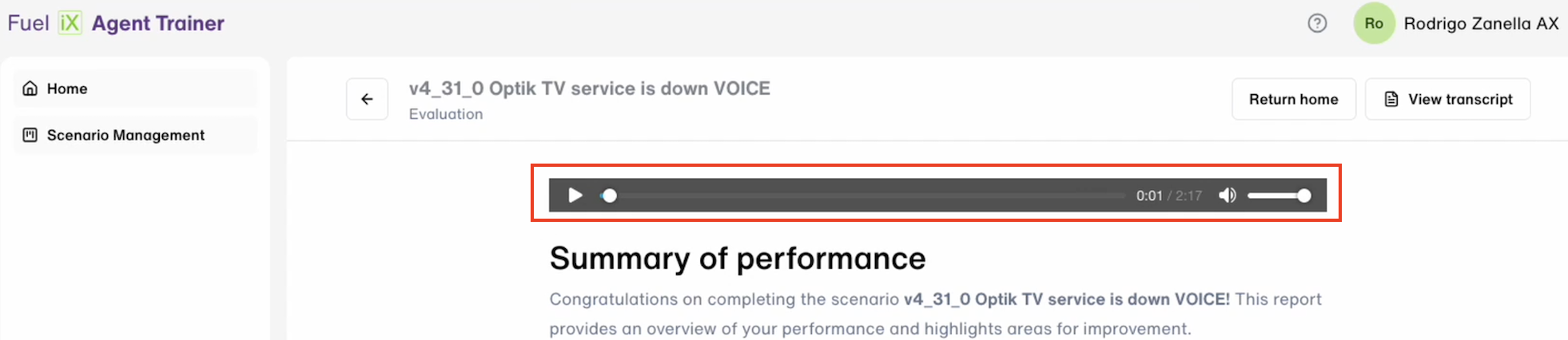
Users can now play back the full audio of a voice call training session from the Evaluation page. Previously, post-session review was limited to reading the transcript. With this update, reviewers can listen to the actual conversation while navigating the evaluation.
How It Works
- The user opens the Evaluation page for a completed voice training session.
- An audio playback control is displayed at the top of the page.
- The user clicks Play to start the audio.
- The user can interact with the playback control at any point:
- Click Pause to stop at the current position; click Play to resume from where it was paused.
- Click anywhere on the audio progress bar to jump to a specific point in the recording.
- Use the volume button to adjust the audio level up or down.
Behavior Rules
- Persistent Playback Control
The playback control remains visible and fully functional as the user scrolls through the Evaluation page. It is not dismissed when the Transcript panel is opened. - ⚠️ Important: Voice Sessions Only
Audio playback is available exclusively for voice call training sessions. It does not appear on evaluations for chat sessions.
Updated 4 months ago
Did this page help you?