
User Management (Admin)
User management for Agent Assist is handled within the central Fuel iX platform. Admins have the ability to add new users, remove existing users, and set their specific roles for Agent Assist.
Important: Understanding User RolesIt's essential to distinguish between two sets of user roles:
- Fuel iX Platform Roles: Governs user permissions for the entire Fuel iX organization.
- Agent Assist Roles: Governs user permissions specifically within the Agent Assist application (i.e., Admin or Agent).
These two roles are independent. A user can be an Admin in Agent Assist but a Viewer in the Fuel iX platform, or vice-versa.
New User to Fuel iX
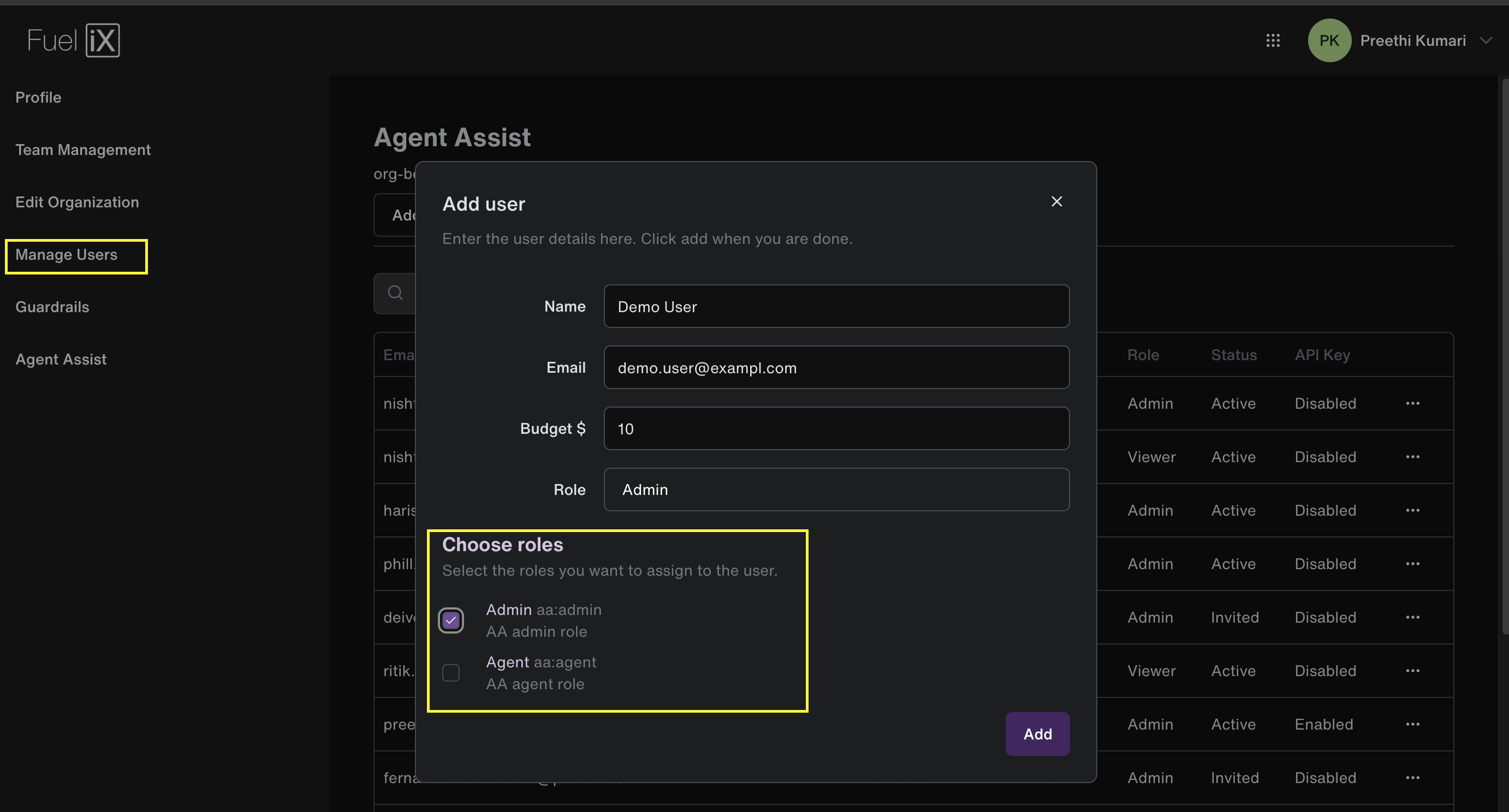
If the person is completely new to Fuel iX platform, then this action must be performed by a Fuel iX Organization Admin:
- Navigate to the user management settings in the Fuel iX platform: https://app.fuelix.ai/en/settings/manage-users
- Click the "Add user" button.
- As you fill in the new user's details, you will have the option to assign them an Agent Assist role at the same time.
Existing User Access to Agent Assist
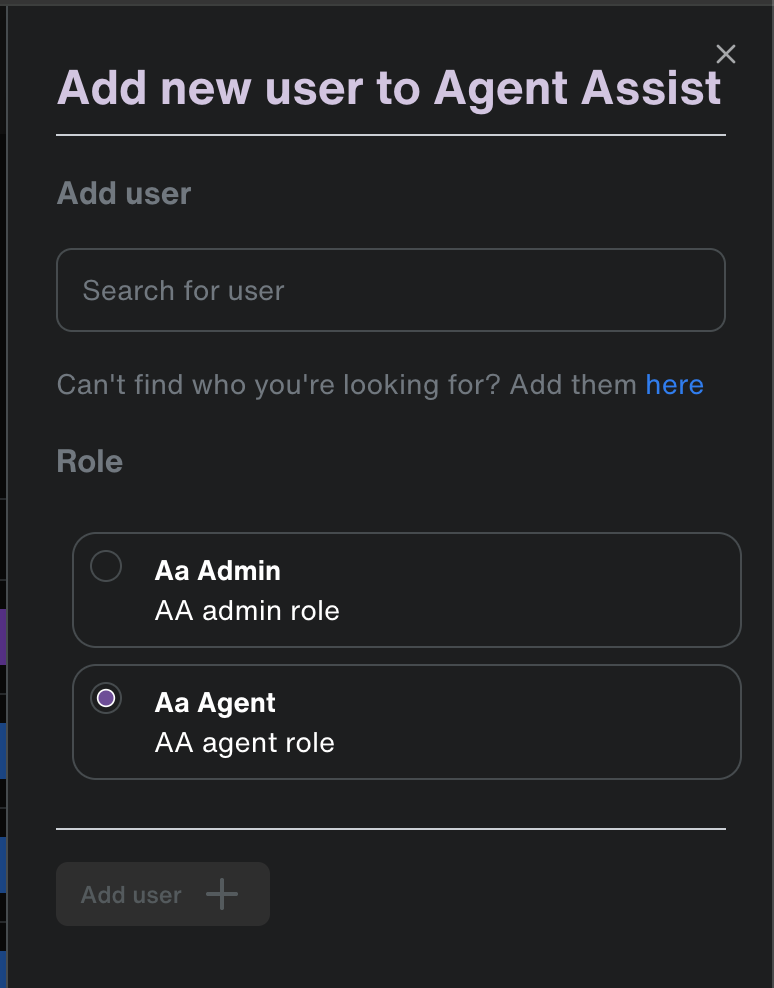
If a person already has an account in your Fuel iX platform but needs access to Agent Assist. This can be done by either a Fuel iX Organization Admin or an Agent Assist Admin.
- Navigate directly to the Agent Assist settings tab within the Fuel iX platform:
- Click "Add User" in the top right corner.
- Search for the existing user you wish to add.
- Choose their role (Admin or Agent) for Agent Assist and click "Add User".
Updated 6 months ago
Did this page help you?